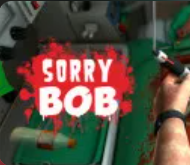
About Sorry Bob
Sorry Bob delivers a unique blend of dark humor and physics-based chaos in a surgery simulation setting. You step into the role of Nigel Burke, an untrained and overly confident "surgeon" who must perform increasingly absurd operations on Bob, a patient whose survival depends entirely on your questionable medical skills. The game's premise is simple: replace failing organs and keep Bob alive. However, the execution is anything but straightforward.
What sets Sorry Bob apart from traditional medical simulators is its intentional embrace of chaos. While most surgery games reward precision and steady hands, Sorry Bob actively punishes careful movements, creating hilarious moments where even the simplest procedures become comedic disasters. The game's physics-based mechanics ensure that tools slip, bounce, and behave unpredictably, turning every operation into a test of both skill and patience.
Gameplay Overview: Controlled Medical Chaos
Sorry Bob is played from a first-person perspective, but there's a catch: you only control one floating hand. Each operation assigns a clear objective, such as replacing a damaged organ. Meanwhile, time ticks down and blood steadily drains, raising the pressure with every passing second. To succeed, you must read the objective carefully, identify the correct replacement organ, break open the chest carefully using heavy tools, remove damaged organs without causing excessive bleeding, and insert the correct replacement before blood loss reaches zero.
Simple in theory, absolute chaos in practice. The game's physics engine creates realistic tool interactions that often work against you. Tools slip from your grasp, bounce off surfaces, and behave in ways that defy expectations. Tiny mistakes trigger heavy blood loss, and cluttered environments block visibility, making every operation a challenge of coordination, timing, and luck.
Key Game Features:
- Unique finger-based controls: Coordinate individual fingers (A, W, E, R, Spacebar) instead of standard grab-and-use mechanics, creating an intentionally unnatural control scheme that adds to the challenge.
- Physics-based chaos: Realistic physics cause tools to slip, bounce, and behave unpredictably, turning every operation into a test of patience and skill.
- Time and blood pressure: Each operation has a time limit and blood loss mechanic—fail to complete the procedure before blood reaches zero, and Bob doesn't make it.
- Dark humor elements: The game embraces absurdity and dark humor, creating hilarious moments from medical disasters.
- First-person perspective: Experience operations from a first-person view with only one floating hand to control, adding to the challenge and immersion.
- Increasingly absurd operations: Each operation becomes more challenging and absurd than the last, testing your skills and patience.
- 3D ragdoll physics: Advanced physics simulation creates realistic interactions between tools, organs, and the patient's body.
How to Play Sorry Bob
Sorry Bob's gameplay revolves around completing surgical procedures while managing time and blood loss. Each operation begins with a clear objective displayed on screen. Your task is to identify what needs to be done, gather the necessary tools, perform the procedure, and complete it before Bob's blood loss reaches zero.
Understanding the Objective
Before starting any operation, read the objective carefully. The game will tell you what organ needs to be replaced or what procedure needs to be performed. Identify the correct replacement organ before breaking open the chest to avoid confusion during the operation. This preparation is crucial, as the time pressure and blood loss mechanics don't allow for second-guessing once you've started.
Breaking Open the Chest
Use heavy tools to carefully break open the chest. The physics-based mechanics mean that tools can slip and bounce, so use short, controlled bursts rather than forceful actions. Gentle movements are more effective than aggressive ones, and patience is key to avoiding excessive bleeding.
Removing Damaged Organs
Once you've accessed the chest cavity, remove the damaged organ without causing excessive bleeding. This requires careful coordination of your finger-based controls and precise movements. Clear removed organs quickly to regain vision, as cluttered environments block visibility and make subsequent steps more difficult.
Inserting the Replacement
Insert the correct replacement organ before blood loss reaches zero. This is the most critical step, as failure means Bob doesn't survive the operation. Use your finger controls to carefully position and insert the replacement organ, being mindful of the physics that can cause tools and organs to slip or bounce.
Managing Blood Loss
Keep syringes nearby to slow bleeding. Blood loss is constant throughout the operation, and managing it is crucial for survival. Use syringes strategically to buy yourself more time when things get chaotic. Remember that panic is your biggest enemy—avoid overcorrecting your movements, as this often leads to more mistakes and faster blood loss.
Unique Finger-Based Controls
Sorry Bob's most iconic feature is its finger-based control system, which replaces standard grab-and-use mechanics with individual finger coordination. This intentionally unnatural control scheme is what makes the game both challenging and hilarious.
Finger Controls
- A Key - Pinky Finger: Controls your pinky finger, used for gripping and manipulating tools.
- W Key - Ring Finger: Controls your ring finger, essential for maintaining grip on objects.
- E Key - Middle Finger: Controls your middle finger, used for precise tool manipulation.
- R Key - Index Finger: Controls your index finger, crucial for fine motor control and tool handling.
- Spacebar - Thumb: Controls your thumb, used for applying pressure and completing grips.
Hand Movement Controls
- Mouse Move - Position the Hand: Move your mouse to position your floating hand in 3D space. This controls where your hand is located relative to Bob's body.
- Left Click - Lower Hand to Grab: Click the left mouse button to lower your hand and grab objects. You'll need to coordinate this with your finger controls to successfully grip tools and organs.
- Right Click (Hold) - Rotate Wrist: Hold the right mouse button to rotate your wrist, allowing you to adjust the angle of your hand and tools for better positioning.
Instead of standard grab-and-use mechanics, you must coordinate individual fingers to grip objects, manipulate tools, and perform procedures. It feels unnatural, and that's exactly the point—this control scheme creates the chaotic, hilarious gameplay that makes Sorry Bob unique.
Survival Strategies: Mastering Controlled Chaos
Success in Sorry Bob requires mastering the art of controlled chaos. The game actively works against precision, so you need to develop strategies that work with the physics-based mechanics rather than against them.
Preparation Before Action
Read the objective and identify the correct replacement organ before breaking open the chest. This preparation prevents confusion during the operation and saves valuable time. Know what you're looking for before you start cutting, as the time pressure and blood loss don't allow for hesitation.
Tool Management
Use short, controlled bursts when handling tools rather than forceful actions. The physics engine causes tools to slip and bounce, so gentle movements are more effective. Keep syringes nearby at all times to slow bleeding when things get chaotic. Having tools organized and within reach can make the difference between success and failure.
Visibility Management
Clear removed organs quickly to regain vision. Cluttered environments block visibility, making it impossible to see what you're doing. Remove organs immediately after extraction to maintain clear sight throughout the operation. This simple habit can prevent many mistakes and reduce blood loss.
Panic Prevention
Avoid overcorrecting your movements. Panic leads to mistakes, which lead to more panic, creating a cycle of failure. Make deliberate, controlled movements rather than frantic adjustments. If something goes wrong, take a moment to assess the situation before reacting. Remember that panic is your biggest enemy.
Blood Loss Management
Keep syringes nearby and use them strategically. Blood loss is constant, but syringes can slow it down, buying you more time to complete procedures. Don't wait until blood loss is critical—use syringes proactively to maintain a buffer that allows for mistakes and corrections.
Finger Coordination Practice
Mastering the finger-based controls takes practice. Start with simple operations to get used to coordinating individual fingers. Once you're comfortable with the basic controls, you can tackle more complex procedures. The unnatural control scheme becomes more manageable with experience, but it will always feel challenging—that's part of the game's charm.
Pro Tips for Sorry Bob
- Keep syringes nearby: Always have syringes ready before starting major procedures to slow bleeding and buy yourself more time.
- Clear organs immediately: Remove organs right after extraction to maintain clear visibility and prevent cluttered environments from blocking your view.
- Avoid panic movements: Make deliberate, controlled movements rather than frantic adjustments—panic leads to mistakes and faster blood loss.
- Read objectives first: Identify the correct replacement organ before breaking open the chest to avoid confusion during the operation.
- Use gentle tool handling: Short, controlled bursts are more effective than forceful actions when handling tools due to the physics-based mechanics.
- Practice finger coordination: Master the finger-based controls through practice—start with simple operations before tackling complex procedures.
- Manage visibility: Keep the operating area clear by removing organs immediately after extraction to maintain clear sight throughout procedures.
- Strategic syringe use: Use syringes proactively to maintain a blood loss buffer that allows for mistakes and corrections, not just when critical.
Sorry Bob FAQs
- What is Sorry Bob? Sorry Bob is a 3D dark-humor physics-based surgery simulator where you play as Nigel Burke, an untrained surgeon trying to keep Bob alive through absurd operations.
- How do I control the game? You control individual fingers using A (pinky), W (ring), E (middle), R (index), and Spacebar (thumb). Move your mouse to position your hand, left click to grab, and hold right click to rotate your wrist.
- Why is the game so hard? The game intentionally uses an unnatural finger-based control system and physics that cause tools to slip and bounce, creating chaotic gameplay that's part of the challenge and humor.
- What happens if blood loss reaches zero? If Bob's blood loss reaches zero before you complete the operation, the procedure fails and Bob doesn't survive.
- How do I slow bleeding? Use syringes to slow bleeding. Keep them nearby and use them strategically to buy yourself more time during operations.
- Why can't I see what I'm doing? Cluttered environments block visibility. Clear removed organs immediately after extraction to maintain clear sight throughout the operation.
- Do I need precision to succeed? Precision is optional—the game embraces chaos and doesn't reward steady hands the way traditional medical simulators do. Controlled movements are more important than perfect precision.
- What makes Sorry Bob different from other surgery games? Sorry Bob uses unique finger-based controls, embraces chaos over precision, and features dark humor that turns medical disasters into hilarious moments.
- How do I master the controls? Practice coordinating individual fingers through simple operations first. The controls feel unnatural by design, but they become more manageable with experience.
- What's the best strategy for success? Read objectives first, keep syringes nearby, clear organs immediately, avoid panic movements, and use gentle tool handling. Patience and controlled movements are more effective than precision and speed.